Let your team write faster by voice.
Swifly turns speech into polished text across every tool your team already uses.

Everything your team needs to work faster by voice


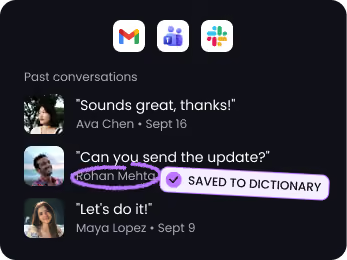
Get every name right
Swifly recognizes the names, companies, and terms you use most — so your voice turns into accurate text, even with tricky spelling.


One voice. 100+ languages.
Swifly understands the language you're speaking and transcribes it instantly — even when you move between English, French, Spanish, Italian, and more.








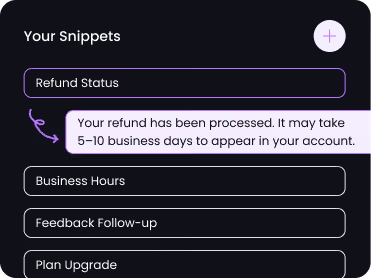
Snippet library
Save your most-used replies as voice shortcuts. Say "refund status" and Swifly inserts the full message instantly.
Private by design
Swifly dictation uses cloud processing and requires an internet connection. Read our privacy policy for details on data handling, retention and privacy controls.




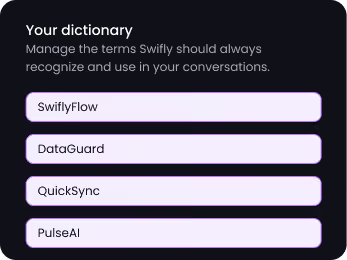
Personal dictionary
Swifly automatically learns your custom terms, abbreviations, and jargon, then adds them to your personal dictionary for more accurate responses.
Polish or translate any text in one click
Select something you typed or dictated. Hit the wand to clean it up, or the globe to translate it — right where you're working.
Dictate in one language, write in another
Pick a target language once, then dictate as you always do. Swifly types the translation straight into your email, chat, or doc — no copy-paste, no switching tools.
The right tone for every app
Swifly knows where you're writing. The same words come out formal in Gmail, casual in Slack, and relaxed in WhatsApp — no rewriting needed.
Plans & pricing
Swifly Basic
For individuals
Free
€12/user/mo
Free Basic plan. Optional 14-day Pro trial; payment method required.
Custom dictionary and snippets.
Support for 100+ languages.
Privacy settings available in the app.
Swifly Pro
For individuals and teams
€12/user/mo
billed annually
14-day Pro trial; payment method required.
Get everything in Swifly Basic, plus:
- Unlimited words per week on Mac, Windows, iPhone, and Android
- Prioritized support and feature requests
- Command mode for editing
- Early access to new features
- Team collaboration features
Swifly Enterprise
For teams who need advanced security & support
Contact us
€12/user/mo